Issue
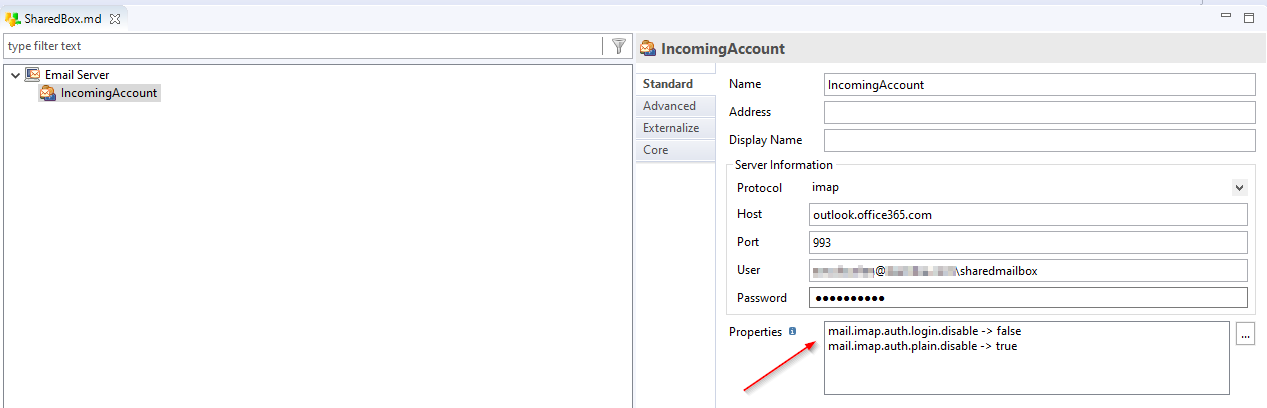
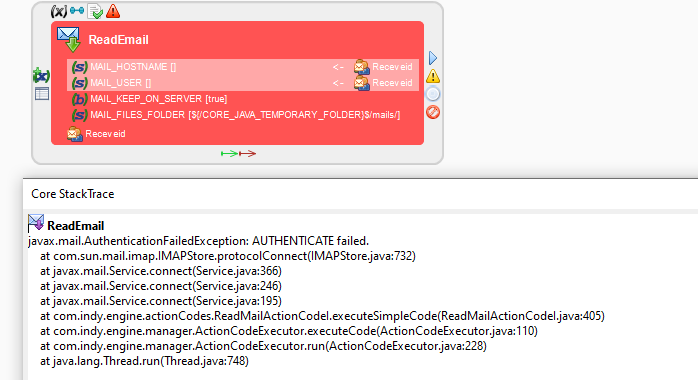
You are trying to read emails from an Office Shared Mailbox, such as <account email address>\suffix (with the shared mailbox suffix). However, the Read Email action is throwing an error such as AUTHENTICATE failed:
Cause
The error occurs because the necessary authentication properties for connecting to the shared mailbox via IMAP are not set correctly in the Email Metadata/Incoming account configuration.
Solution
- Open your xDI Email Metadata section.
- Select the Incoming account configuration for the shared mailbox.
- Add the following properties with KeyValue pairs:
mail.imap.auth.login.disable=falsemail.imap.auth.plain.disable=true
- Save the changes to the configuration.
- Retry the Read Email action to verify that the issue is resolved.