
This article explains how to specify a catalog name when configuring Microsoft SQL Server in Semarchy xDI.
Need
When configuring the Runtime to use a Microsoft SQL Server log database, how can you specify the catalog name?
Summarized Solution
The catalog name can be specified within the JDBC URL used for the connection.
Detailed Solution
- Open your xDI configuration settings where the database connection is defined.
- Locate the JDBC URL field for the Microsoft SQL Server connection.
- Specify the catalog name in the JDBC URL using the following format:
jdbc:sqlserver://localhost;databaseName=CATALOG
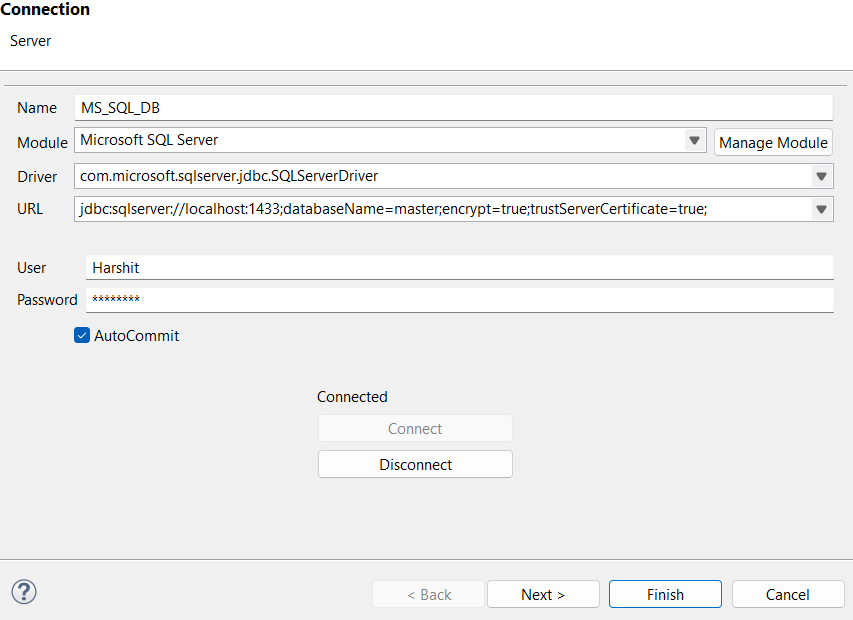
See this page for more information.