
This article explains how to use the Debug Option with the HTTP REST API metadata in Semarchy xDI.
Need
Customers may need to debug their mappings using the HTTP REST API metadata to troubleshoot execution issues effectively.
Summarized Solution
Utilize the Debug Option in the INTEGRATION Rdbms to Http template to log execution details. The available modes include off, console, and file.
Detailed Solution
- Ensure you are using the INTEGRATION Rdbms to Http template in your mapping.
- Locate the Debug Option within the template settings.
- Select the desired debug mode:
off: No debug information is logged.console: Debug information is printed to the Runtime console during execution.file: Debug information is printed in the runtime actionCodes log file during execution.
- If you choose the
fileoption, you will need to access the generated debug file, you can define the location of the generated file, by default it will be generated inside the runtime/temp folder.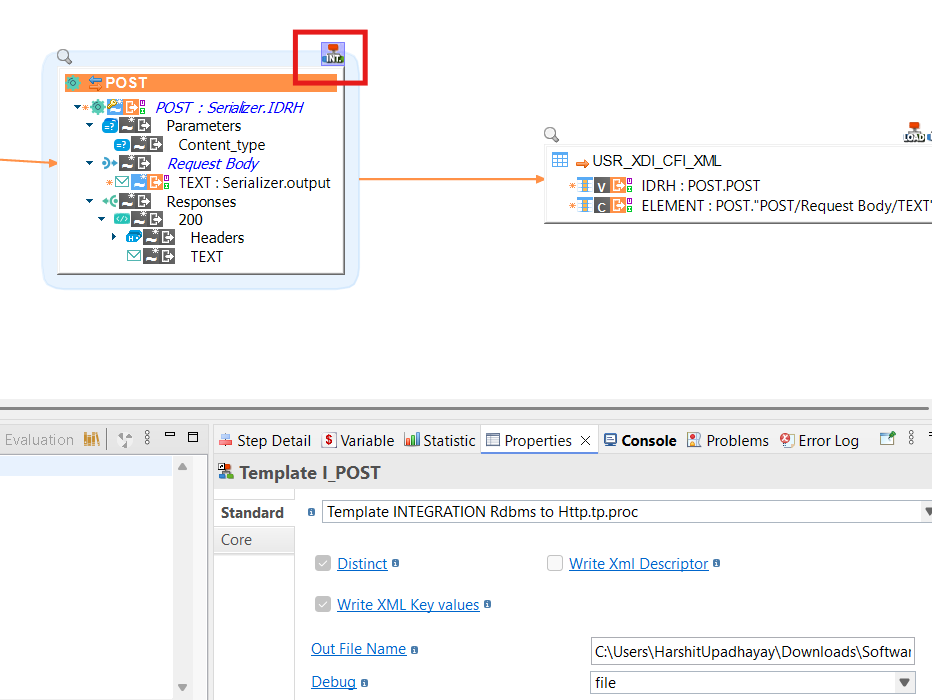
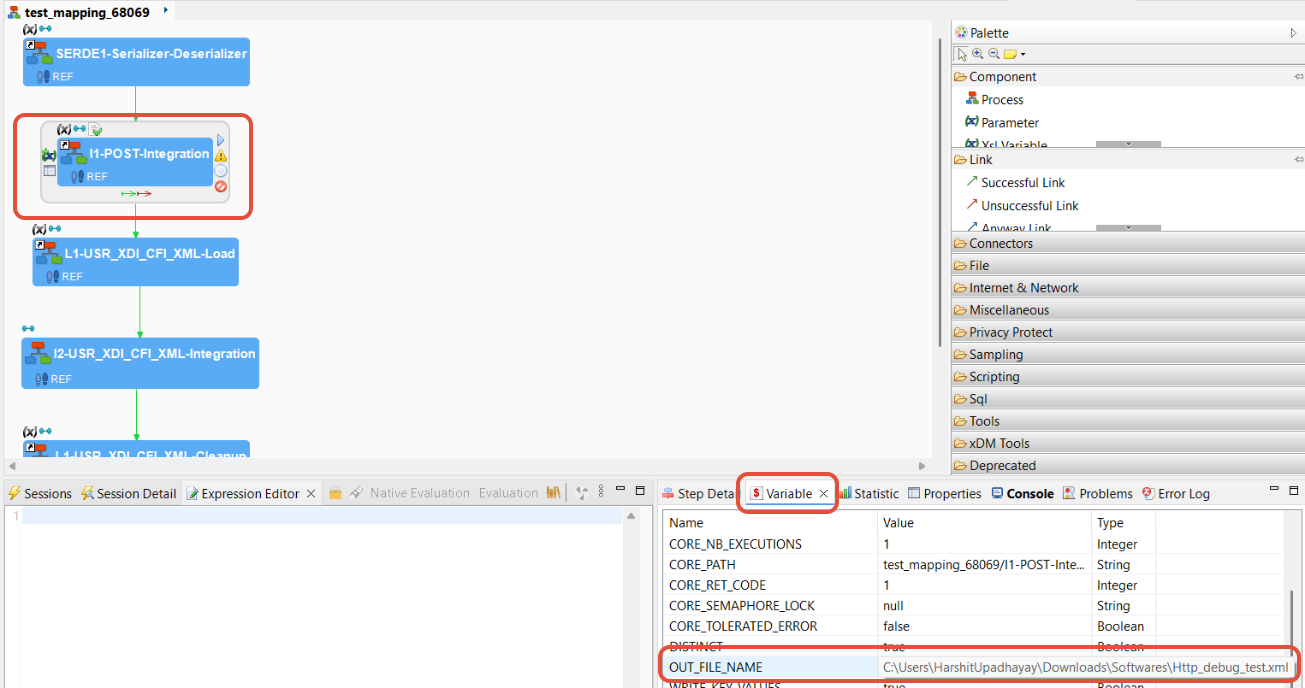
- To find the path of the debug file, select the Integration step and navigate to the Variables tab.
- Check the value of OUT_FILE_NAME; it contains the path to the debug file.
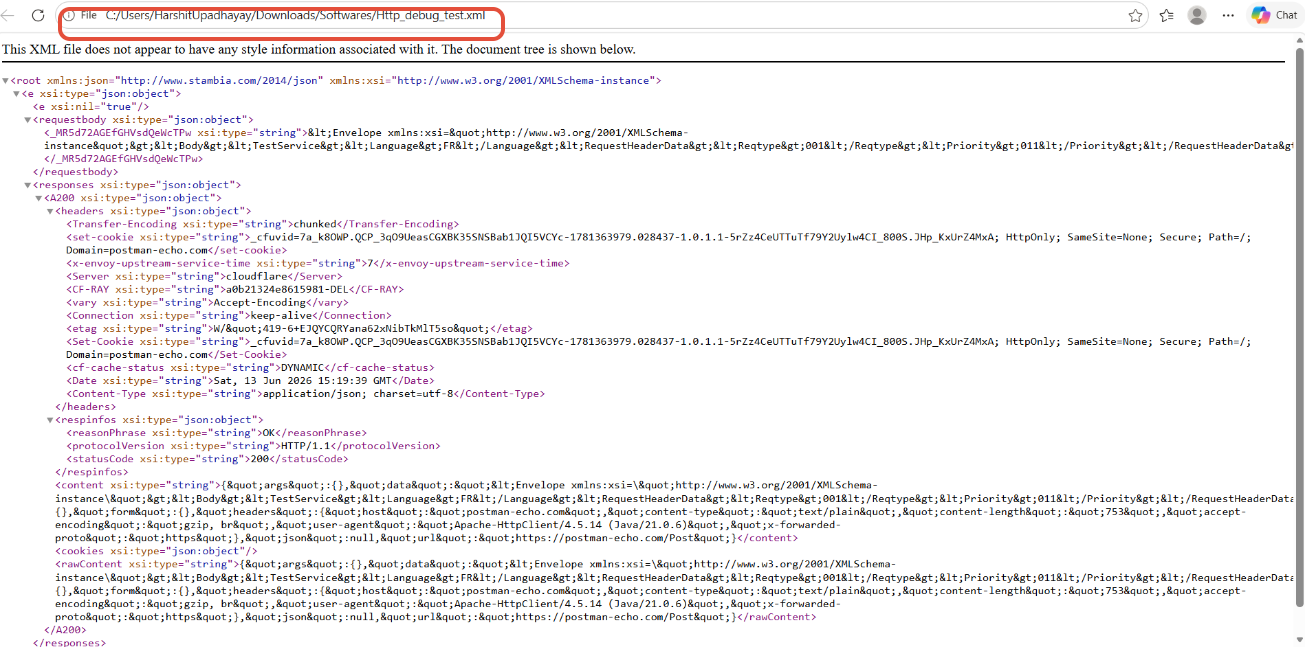
Info
Utilize the debug information to identify and resolve issues in your mappings effectively.